
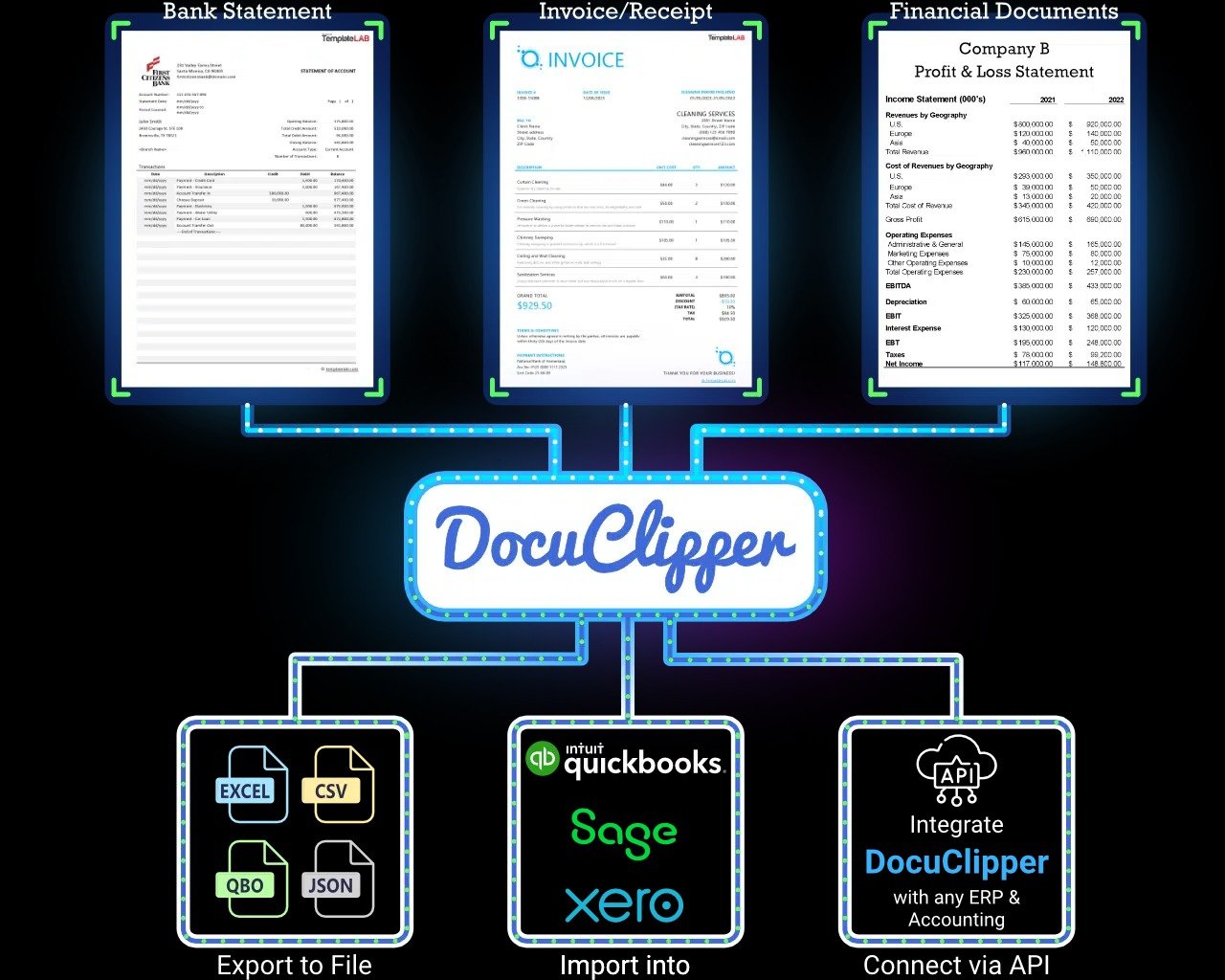
If you’re an accountant, bookkeeper, auditor, loan officer, tax professional, or business owner, you’ve probably spent countless hours manually typing transaction data from PDF bank statements into Excel or accounting software.
You zoom in, scroll up and down, double-check every number… and pray you didn’t miss anything.
It’s boring. It’s frustrating.
And worst of all — it steals valuable time you could use to serve more clients or grow your business.
But then I discovered DocuClipper, the AI-powered financial document converter that turns chaotic PDF bank statements into beautifully structured data with just one click.
And honestly?
It feels like magic.
Today, I’m giving you the most detailed, honest, and professional review you’ll read about DocuClipper — and why thousands of accounting and finance professionals rely on it every single day.
⭐ What Exactly Is DocuClipper?
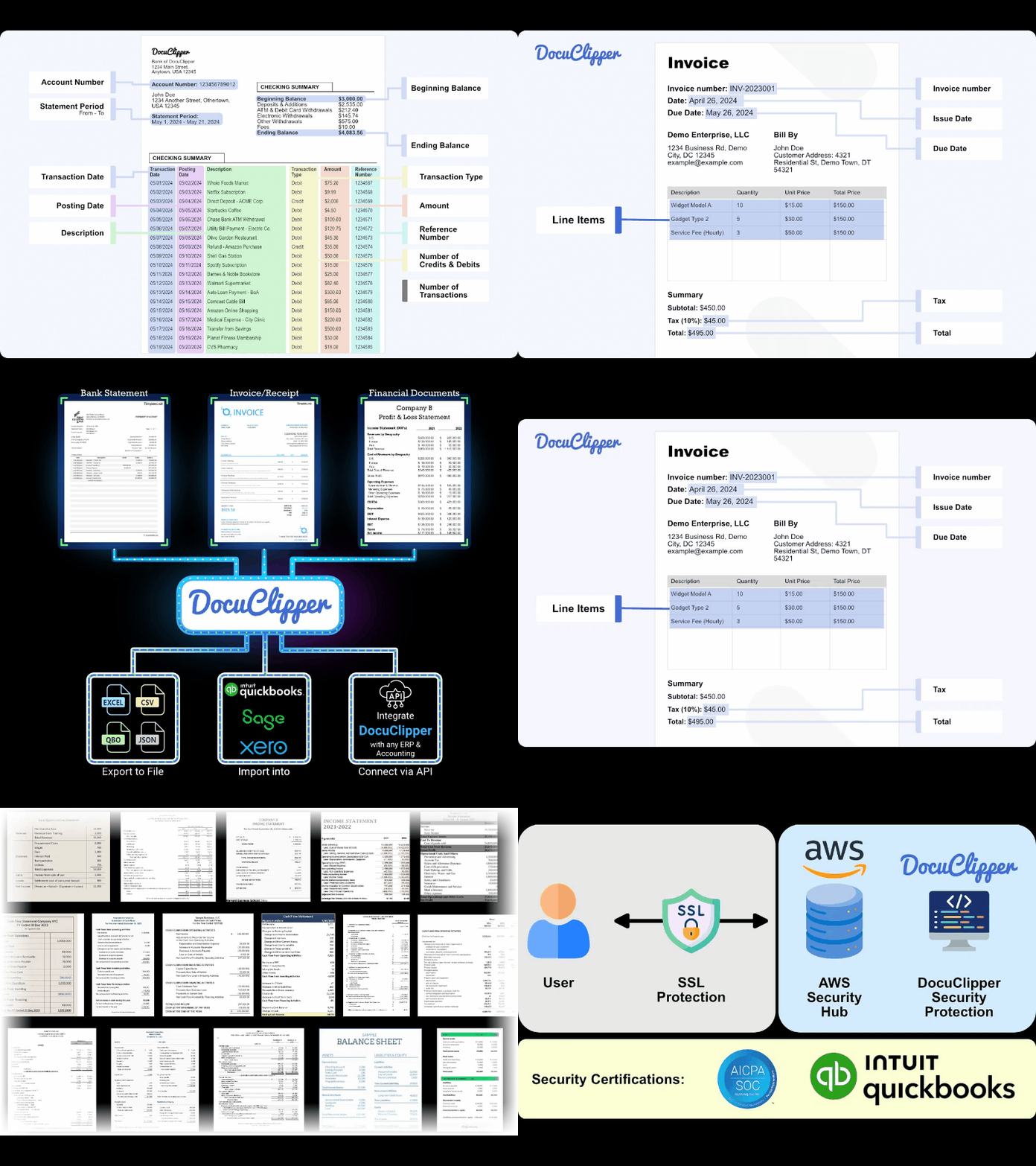
DocuClipper is a specialized AI platform built to convert financial documents into clean, ready-to-use formats like:
- Excel (.xlsx)
- CSV
- QBO
- OFX
- QFX
- Google Sheets
What makes DocuClipper different is that it’s not a general OCR tool.
It is trained specifically for:
- Bank statements
- Credit card statements
- Expense reports
- PDF financial reports
- Multi-page scanned documents
This means it understands financial structure, not just text.
While other converters give you messy exports, DocuClipper delivers perfectly organized spreadsheets ready for accounting work.
🔍 Why DocuClipper Is the #1 Bank Statement Converter Today
After testing more than 15 tools, DocuClipper stands far above the rest — here’s why:
🔥 1. Near-Perfect Accuracy (Even For Scanned PDFs)
Most tools struggle with:
❌ overlapping lines
❌ unclear fonts
❌ scanned images
❌ multi-page statements
❌ columns that shift from page to page
DocuClipper handles them effortlessly.
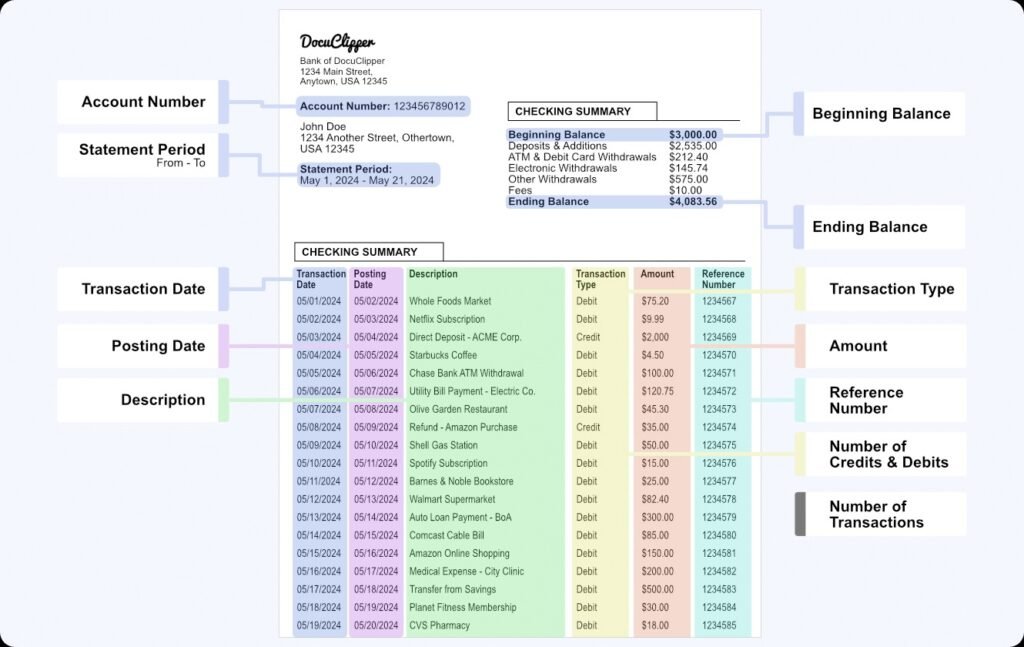
Its AI identifies:
- Date
- Description
- Amount
- Category
- Running balance
- Deposits
- Withdrawals
- Transfer markers
Even when the formatting is terrible.
You get 98–100% clean output — with no need for cleanup.
📄 2. Converts Over 10,000+ Bank Formats Worldwide
Whether your clients bank with:
🏦 Chase
🏦 Wells Fargo
🏦 Bank of America
🏦 HSBC
🏦 Santander
🏦 Barclays
🏦 TD
🏦 Local credit unions
…DocuClipper recognizes the structure instantly.
This makes it ideal for:
- Global accounting firms
- Loan processing agencies
- Immigration caseworkers
- Audit preparation teams
⚡ 3. Bulk Conversion = Insane Time Savings
Processing one statement is annoying.
Processing 30 for one client? Torture.
DocuClipper lets you:
✔ Upload multiple PDFs
✔ Convert everything at once
✔ Download a unified Excel or QBO file
This alone can save:
- 5–10 hours per week for bookkeepers
- 20+ hours per month for loan processors
- Hundreds of hours during tax season
Time saved = more clients + more revenue.
🧠 4. Built-In Error Detection & Data Validation
DocuClipper automatically checks for:
- Missing pages
- Incorrect balances
- Duplicate transactions
- Gaps in date ranges
- Page inconsistencies
This is incredibly valuable for:
✔ Audits
✔ Loan reviews
✔ Underwriting
✔ Court or legal documentation
✔ Forensic accounting
You’ll never worry about missing transactions again.
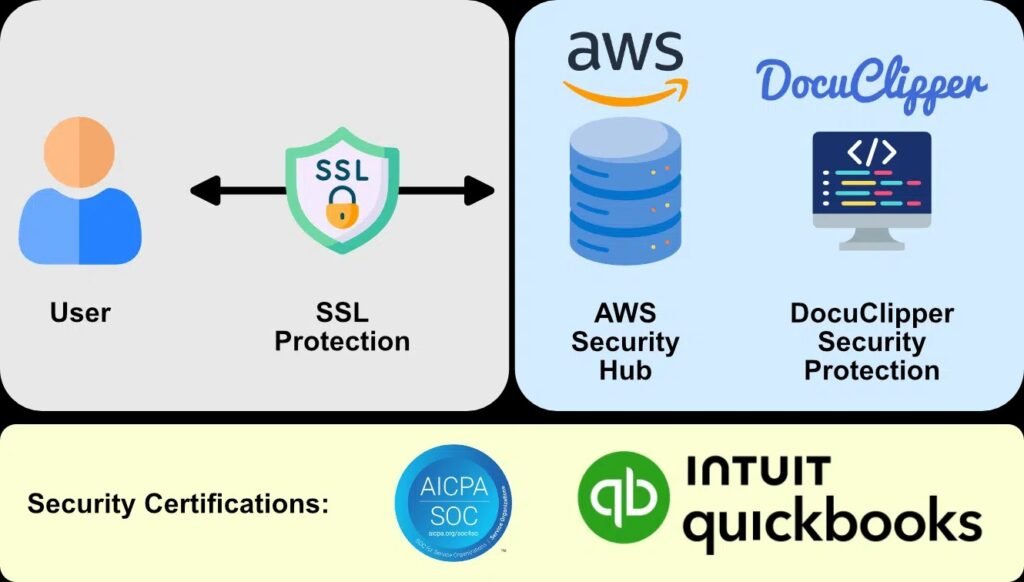
🔗 5. Smooth Integration with QuickBooks, Xero, Zoho & More
Once converted, you can instantly export your data into:
- QuickBooks Desktop
- QuickBooks Online
- Xero
- Zoho Books
- Wave
- FreshBooks
No reformatting. No mapping.
DocuClipper aligns everything perfectly.
💼 6. Designed for Professionals Who Handle Real Financial Work
DocuClipper isn’t just a tool — it’s a workflow booster for:
✔ Accountants
✔ Bookkeepers
✔ Tax preparers
✔ Mortgage brokers
✔ Real estate offices
✔ Finance managers
✔ Outsourcing companies
✔ Legal teams
✔ Business owners
If you touch bank statements in your job, DocuClipper will change your life.
🧪 My Real Experience After Testing DocuClipper
I uploaded:
- 7 scanned statements
- 3 digital PDFs
- 2 messy multi-page credit card statements
- 1 export from an international bank
Here’s what I found:
⏱️ Conversion speed
→ 3–8 seconds per document
🎯 Accuracy
→ 98–100% (no cleanup needed)
📊 Data structure
→ Clear columns, consistent formatting, and proper date sorting.
📥 Exports
→ Perfect imports into QuickBooks and Excel.
🔁 Multi-statement merging
→ Game-changer for loan and audit workflows.
Honestly, the tool eliminated the most painful part of financial data work.
💸 Pricing: Affordable for Individuals & Extremely Valuable for Teams
DocuClipper offers flexible plans depending on volume.
And compared to the cost of manual labor, it’s extremely inexpensive.
Even if you use it for one client, it pays for itself.
→ You can test everything here:
🔗 https://www.docuclipper.com?fpr=dat76
🎯 Final Verdict: Is DocuClipper Worth It?
Absolutely YES — 10/10.
DocuClipper is the tool every financial professional wishes they found sooner.
If you:
✔ Hate typing transactions
✔ Deal with many PDFs
✔ Want clean Excel files
✔ Need accurate data for audits or taxes
✔ Want to save time every single month
Then DocuClipper is a must-have.
It’s fast.
It’s accurate.
It’s professional-grade.
And it eliminates manual entry forever.
👉 Start using DocuClipper here:
🔗 https://www.docuclipper.com?fpr=dat76